📅 Published: April 2026 | ✍️ By Rahi Shah, Digitating | 🏷️ Local SEO | ⏱️ 9 min read | 🇺🇸🇬🇧 For UK & US small business owners
You know Google reviews matter. You know more reviews mean higher rankings on Google Maps and more customers choosing you over competitors. But every time you think about asking for one, it feels awkward. What if they say no? What if it comes across as desperate? What if they just ignore you?
This guide solves all of that. You will get word-for-word templates for text, email, and in-person requests — all written to feel natural and helpful, never pushy. Plus the three things that kill review response rates, and how Google’s rules have changed in 2026.
💡 Quick answer: Ask immediately after a great experience, send a direct review link (never ask people to “search for you”), keep your message short and casual, and make it about helping others — not about helping yourself. That combination removes the awkwardness and gets a response rate of 20–40% vs the typical 2–5% from generic requests.
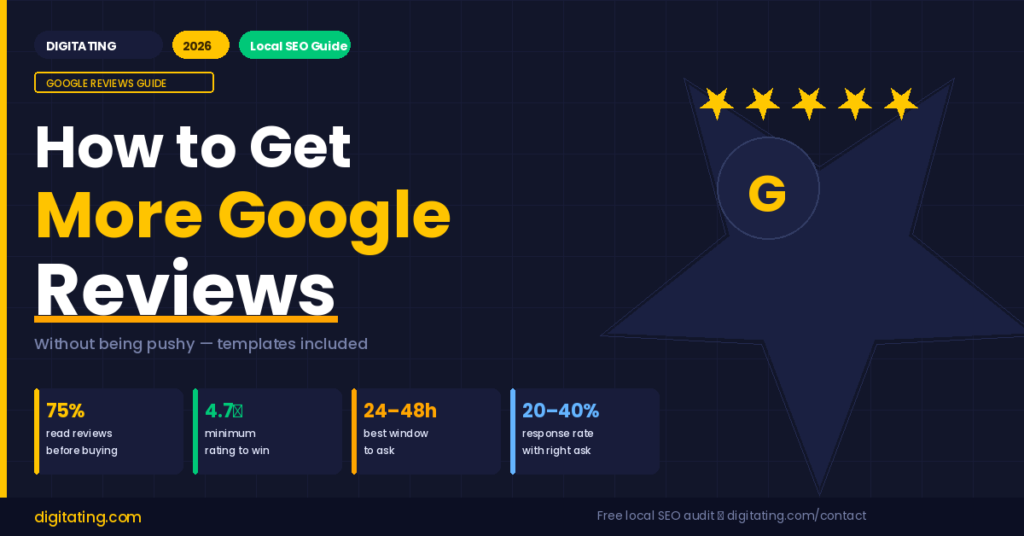
75%of consumers read reviews before choosing a local business
42%trust online reviews as much as a personal recommendation
24–48 hrsbest window to ask after a positive experience
4.7★the minimum rating that wins clicks over competitors
Why Most Businesses Get This Wrong
The biggest mistake small business owners make when asking for Google reviews is making it about themselves. “We’d really appreciate a review” puts the burden on the customer to do you a favour. That creates friction. Nobody wants to feel obligated.
The second mistake is making it hard. “Just search for us on Google and leave a review” has about five steps where people give up. Without a direct link, most people who intended to leave a review simply never do.
The third mistake is asking at the wrong time. Asking during a transaction (while you’re still serving them) or weeks later (when the experience has faded) both kill response rates. The window is 24–48 hours after the positive experience — when they are still happy but the service is complete.
⚠️ Before anything else — get your Google review link. Log in to your Google Business Profile at business.google.com → click “Ask for reviews” → copy the link. This link takes customers straight to the review form with zero steps. Every strategy below uses this link. Without it, your response rate drops by 80%.
Step 1 — How to Ask in Person (Without It Being Awkward)
In-person requests are the most effective when done right — because you can read the customer’s mood and ask right when they are happiest. The key is making it feel like a casual mention, not a formal request.
1
Wait for a natural positive moment
Wait until the customer says something positive — “this looks great”, “thank you so much”, “I’m really happy with this.” That is your cue. Asking before this moment feels premature. Asking after they’ve left feels like an afterthought.
2
Use this exact phrasing — it works because it is genuinely helpful
“Glad to hear that! If you have a spare minute, a quick Google review would genuinely help other people find us — I’ll text you the direct link so it only takes 30 seconds.”
3
Send the link while they are still with you
Text or WhatsApp the review link immediately. The longer you wait, the less likely they are to do it. “Here’s that review link — takes about 30 seconds 🙂” is enough. No long message needed.
💡 Pro tip — use a QR code at your counter. Print a small card or sign that says “Loved your experience? Leave us a quick Google review — it takes 30 seconds 👇” with a QR code underneath. Place it where customers naturally pause — checkout, waiting area, receipt collection. Most businesses that do this see 3–5 new reviews per week with zero effort.
Step 2 — Text Message Templates (Highest Response Rate)
Text messages have a 98% open rate vs 20% for email. For review requests, a simple WhatsApp or SMS message sent within 24 hours of the service consistently gets the highest response rates of any channel — between 25–40% when done correctly.
Template 1 — Service businesses (plumbers, cleaners, mechanics, etc.)
Copy and personalise
Hi [First name] — thanks again for having us today. Really glad the [job/service] went well. If you have 60 seconds, a Google review would mean a lot and helps other [homeowners/people] in [their area] find us: [your review link] 🙂
Template 2 — Retail or food businesses
Copy and personalise
Hey [First name]! Hope you’re enjoying your [product/meal]. If you have a moment, we’d love a Google review — it genuinely helps small businesses like ours: [your review link] Thanks so much!
Template 3 — Professional services (accountants, solicitors, consultants)
Copy and personalise
Hi [First name] — great working with you on [project/matter]. If you were happy with our service, a brief Google review would be really helpful for others looking for similar help: [your review link]. No pressure at all — just appreciated if you have a moment.
💡 “No pressure at all” is a powerful phrase. It removes obligation and paradoxically makes people more likely to respond — because they feel free to say no, which means saying yes feels genuinely generous rather than obligatory.
Step 3 — Email Templates (Best for B2B and Professional Services)
Email works best when you already have an established email relationship with the customer — such as project-based work, ongoing services, or e-commerce. Keep emails short. Long review request emails rarely get read.
Email template — short and effective
Subject line: Quick favour?
Hi [First name],
Thanks again for working with us on [project/service].
If you were happy with the results, would you mind leaving a quick Google review? It only takes about 60 seconds and genuinely helps other small businesses find the right help:
[Your Google review link]
No obligation at all — just means a lot when it comes from a client who has experienced the work firsthand.
Thanks so much,
[Your name]
💡 Subject line matters more than the email body. “Quick favour?” gets opened because it sounds personal. “Please leave us a Google review” is a marketing email and gets ignored. Other high-performing subject lines: “30 seconds?”, “Could I ask you something?”, “One small thing if you have a moment”.
Step 4 — When to Ask (Timing Is Everything)
| Timing | Response rate | Why |
|---|
| During the service | Very low | Experience not complete — they cannot fully review yet |
| Immediately after (same day) | Highest — 25–40% | Peak happiness, experience fresh, momentum is there |
| 1–2 days after | Good — 15–25% | Still fresh, can follow up on any outstanding details |
| 1 week after | Low — 5–10% | Experience fading, feels like a delayed marketing email |
| 1+ month after | Very low — under 5% | Feels impersonal, customer may not remember details |
Step 5 — What to Do With Negative Experiences
This is where many businesses make a critical Google policy mistake. Review gating — only asking happy customers for reviews while filtering out unhappy ones — violates Google’s guidelines and can result in your entire Business Profile being suspended.
The correct approach: ask all customers in the same way. If a customer had a bad experience, resolve it privately first. Call them, address the issue, make it right. Then — and only then — if they are now satisfied, you can gently mention that a review would be welcome. You are not filtering by sentiment — you are resolving the issue before asking.
🚨 Never do these things — Google can suspend your entire Business Profile: Offer discounts, gifts, or free services in exchange for a review. Ask only happy customers to review while discouraging unhappy ones. Have employees, friends, or family leave fake reviews. Buy reviews from any service. Post 10+ reviews in a single day (sudden spikes trigger fraud detection).
Step 6 — How to Respond to Every Review (This Boosts Your Rankings)
Responding to Google reviews is a direct local SEO ranking signal. Google sees an active, engaged business and ranks it higher. Most small businesses never respond — giving you an immediate competitive advantage.
How to respond to a positive review
Positive review response template
Thank you so much, [Name]! Really glad we could help with [what they mentioned]. It was a pleasure working with you — we hope to see you again soon! 😊
How to respond to a negative review (without being defensive)
Negative review response template
Hi [Name] — thank you for taking the time to share this. We’re really sorry to hear your experience didn’t meet expectations. This isn’t the standard we hold ourselves to, and we’d love the chance to make it right. Please reach out to us directly at [email/phone] so we can resolve this for you.
💡 Always include your service or location naturally in responses. “Glad we could help with your boiler repair in Manchester” — Google reads this and it reinforces your local keywords. Never keyword-stuff, but natural mentions help your local rankings directly.
Your Weekly Google Reviews Checklist
Do these 5 things every week — takes 20 minutes total
- Send review link to everyone you served this week within 24 hours of completing the work
- Check Google Business Profile for new reviews — respond to every single one within 48 hours
- Add the review link to your email signature if you haven’t already
- Post your best recent review on Instagram Stories or Facebook — social proof builds more trust
- Track your review count on a sticky note — seeing the number grow weekly is motivating
Frequently Asked Questions
How do I ask for a Google review without being pushy?
Frame it as helping other people find good services — not as doing you a favour. Say something like “If you have 60 seconds, a quick Google review genuinely helps other people in your area find us.” Send a direct link so it requires minimal effort. Add “no pressure at all” to remove obligation. This combination feels helpful rather than pushy and gets response rates of 20–40%.
When is the best time to ask for a Google review?
Within 24–48 hours of completing a positive experience. This is when the customer is still happy, the details are fresh, and they still have the emotional momentum to act. Waiting a week or more drops response rates dramatically. For in-person businesses, asking immediately after the service with a QR code is the single most effective approach.
Can I offer a discount in exchange for a Google review?
No — this violates Google’s guidelines and can result in your reviews being removed or your Business Profile being suspended. The FTC has also fined companies millions for incentivised reviews. Only ask for genuine, unprompted reviews. The good news is that asking at the right moment with the right message works extremely well without any incentive.
How many Google reviews does a small business need?
There is no magic number, but businesses with 50+ reviews significantly outperform those with fewer in local search rankings. More importantly, aim for at least a 4.7 star average — this is the threshold where most consumers choose you over a competitor. Focus on consistent growth: 5–10 new reviews per month is more valuable to Google’s algorithm than a sudden spike of 50 reviews in one day.
What should I do if I get a fake negative review?
First, respond professionally and publicly — potential customers read your response more than the review itself. Then flag it in your Google Business Profile as a policy violation. Provide as much evidence as possible that the reviewer was not a genuine customer. Google does remove fake reviews, but it can take several weeks. In the meantime, a calm professional response demonstrates your credibility to everyone reading.
⭐ Want help building a complete local SEO strategy for your small business — including Google reviews, Google Business Profile optimisation, and local keyword rankings?
I’m Rahi Shah from Digitating. I help small businesses in the UK and USA get found on Google and grow their customer base through SEO and local digital marketing.
Get a free local SEO audit → digitating.com/contact
About the Author — Rahi Shah, Digitating
Rahi Shah is a digital marketing expert with 6+ years of experience helping small businesses rank on Google and grow online. She runs Digitating — a results-focused digital marketing practice serving clients in the UK, USA, and India. Her expertise covers local SEO, Google Business Profile optimisation, SEO, Google Ads, and content strategy.
🌐 digitating.com | 📧 contact@digitating.com | 📸 @digitating